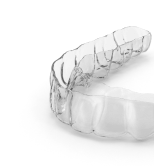
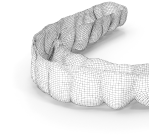
Online digital orthodontics training
Digital orthodontics and clear aligner design course
Learn to build clinically realistic digital setups and a complete in-house clear aligner workflow—from scan preparation and tooth-movement planning to fabrication and quality control.
What you will learn
- STL preparation, segmentation, treatment objectives and the Maestro 3D Ortho Studio workflow;
- movement staging based on biomechanics, anchorage and clinical feasibility;
- IPR, attachment, elastic and auxiliary-mechanics planning;
- clinical setup review before approval and precise communication with a technician;
- model export, 3D printing, thermoforming, trimming and in-house aligner quality control.
90 video lessons, 9 modules and practical assignments
The programme contains 90 video lessons with a total runtime of 11 hours 27 minutes and 10 homework assignments. It progresses from digital foundations and Maestro 3D tools to tooth-specific movement protocols, IPR, attachments, auxiliary mechanics, laboratory production and clinical implementation.
- Digital foundations: import, model preparation, segmentation and project organisation.
- Maestro 3D: Ortho Studio tools, virtual setups and occlusal checks.
- Biomechanics: tipping, bodily movement, rotations, extrusion and intrusion.
- Clinical protocol: IPR, attachments, anchorage, elastics and staging.
- In-house production: export, model printing, thermoforming, finishing and quality control.
Built for orthodontists, clinics and laboratories
The course is designed for clinicians who want to understand and control every setup, communicate more precisely with an outsourced planner, or bring treatment planning and aligner fabrication into their practice. Laboratory technicians can use the workflow in collaboration with an orthodontist; clinical decisions remain the treating clinician’s responsibility.
Feedback and support beyond the course
Plans with homework review include personal comments on submitted work. For an individual clinical case, use our orthodontist setup review; when your team needs capacity, outsource clear aligner setup design and staged STL preparation.
Frequently asked questions
How is the course delivered?
You watch recorded lessons at your own pace, complete practical assignments and submit them for review. The amount of personal feedback depends on the selected plan.
Does the course cover an in-house clear aligner workflow?
Yes. The programme connects clinical planning with model preparation, 3D printing, thermoforming, trimming and quality control.
Do I need previous Maestro 3D experience?
No. The course starts with the digital workflow and Maestro 3D tools before progressing to setups, biomechanics and movement protocols.
Will I receive feedback on assignments?
Yes. Plans that include homework review provide instructor feedback to help identify and correct planning errors.
What computer do I need?
You need a computer with internet access. At least 16 GB of RAM and a discrete graphics card are recommended for comfortable 3D work.
Does the course replace clinical orthodontic training?
No. The course is continuing professional education. Diagnosis and treatment decisions remain the responsibility of the treating clinician for each individual patient.
Choose a plan and start learning
Clear Aligners is an independent education provider and is not an official training division of the Maestro 3D software developer. Product and trademark names belong to their respective owners.
 Thalia
 Kevin
Kevin DentalArt Tirana